
Important: This documentation is about an older version. It's relevant only to the release noted, many of the features and functions have been updated or replaced. Please view the current version.

Team sync
With Team Sync, you can set up synchronization between your auth provider’s teams and teams in Grafana. This enables LDAP or GitHub OAuth users which are members of certain teams/groups to automatically be added/removed as members to certain teams in Grafana. Currently the synchronization will only happen every time a user logs in, unless LDAP is used together with active background synchronization that was added in Grafana 6.3.
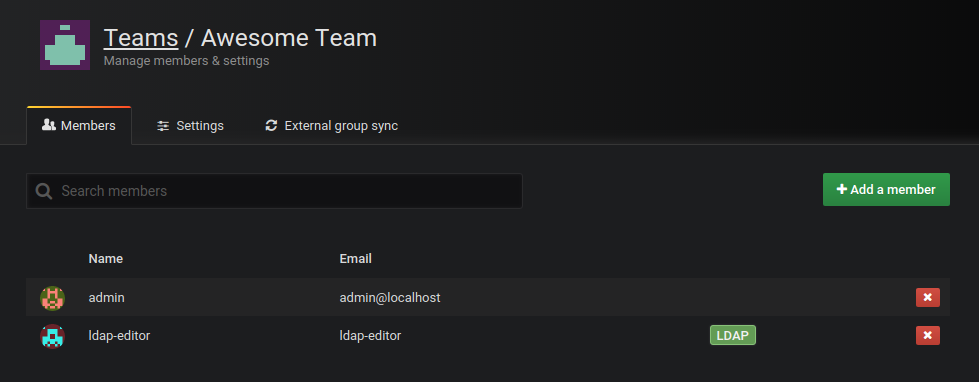
Grafana keeps track of all synchronized users in teams and you can see which users have been synchronized in the team members list, see LDAP label in screenshot.
This mechanism allows Grafana to remove an existing synchronized user from a team when its LDAP group membership (for example) changes. This mechanism also enables you to manually add a user as member of a team and it will not be removed when the user signs in. This gives you flexibility to combine LDAP group memberships and Grafana team memberships.
Team Sync is only available in Grafana Enterprise. For more information, refer to Team sync in Grafana Enterprise.
Was this page helpful?
Related resources from Grafana Labs



