
Important: This documentation is about an older version. It's relevant only to the release noted, many of the features and functions have been updated or replaced. Please view the current version.

Apply transformations
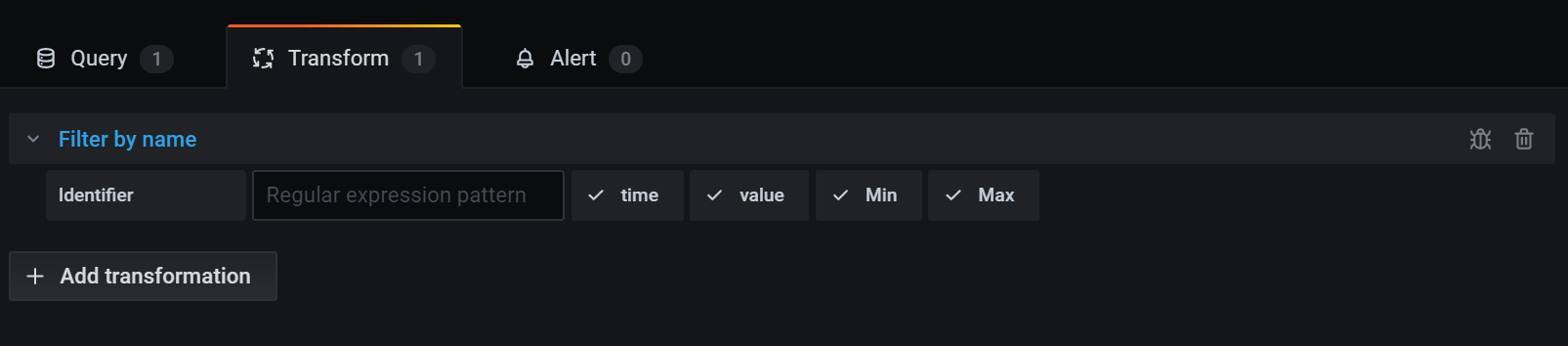
You can apply transformations from the Transform tab of the Grafana panel editor, which is located next to the Queries tab. See also, Debug transformations.
To apply a transformation:
Navigate to the panel where you want to add one or more transformations.
Click the panel title and then click Edit.
Click the Transform tab.
Click a transformation to select it.
A transformation row displays. You can configure the transformation options here. For more information, refer to Transformation types and options.
Click Add transformation to apply another transformation.
This next transformation acts on the result set returned by the previous transformation.
![]()
Delete a transformation
To remove a transformation that is no longer needed, click the trash can icon.
Debug transformations
To see the input and the output result sets of the transformation, click the bug icon on the right side of the transformation row
Grafana displays the transformation debug view below the transformation row.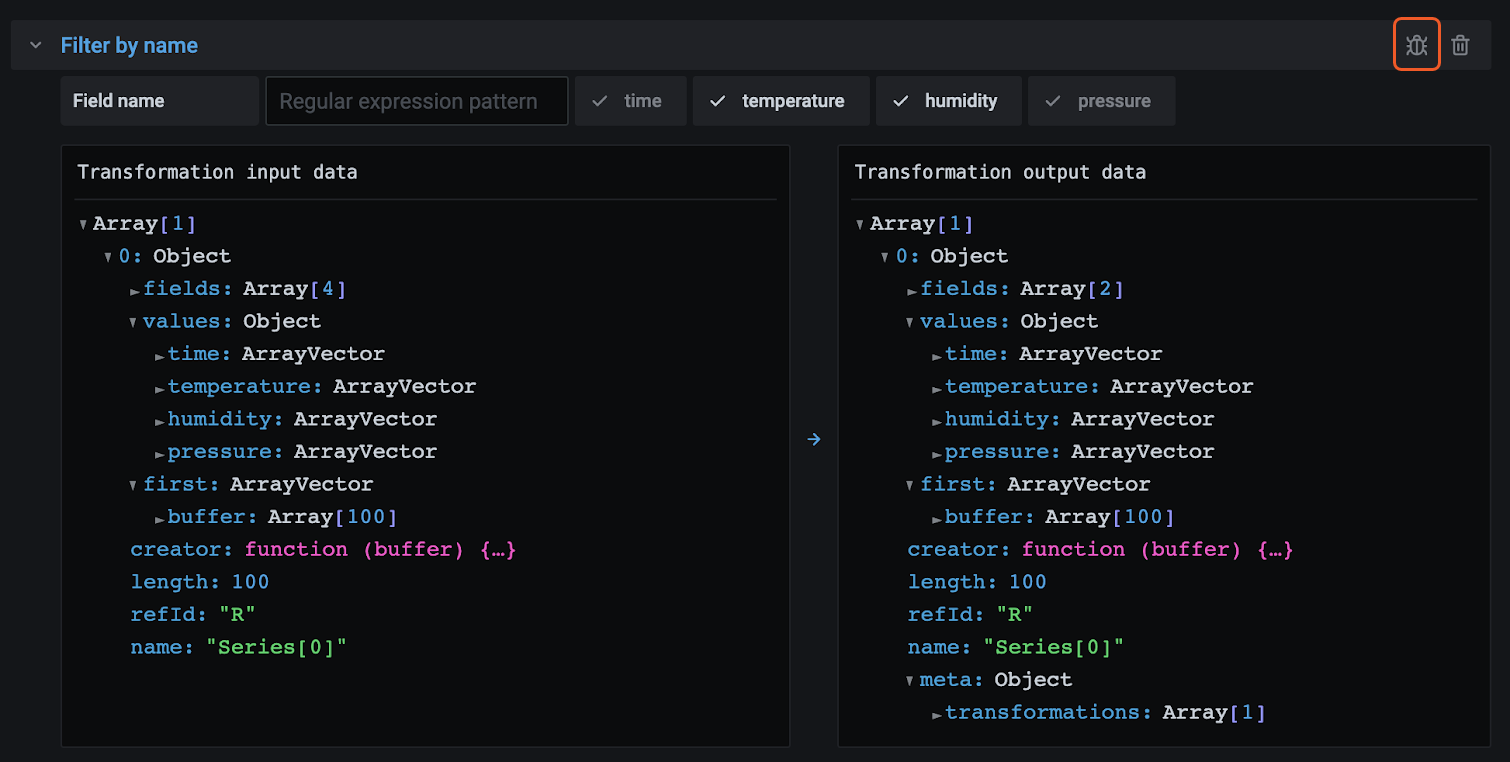
Was this page helpful?
Related resources from Grafana Labs



