Important: This documentation is about an older version. It's relevant only to the release noted, many of the features and functions have been updated or replaced. Please view the current version.

Preconfigured Cloud Monitoring dashboards
Google Cloud Monitoring data source ships with pre-configured dashboards for some of the most popular GCP services. These curated dashboards are based on similar dashboards in the GCP dashboard samples repository. See also, Using Google Cloud Monitoring in Grafana for detailed instructions on how to add and configure the Google Cloud Monitoring data source.
Curated dashboards
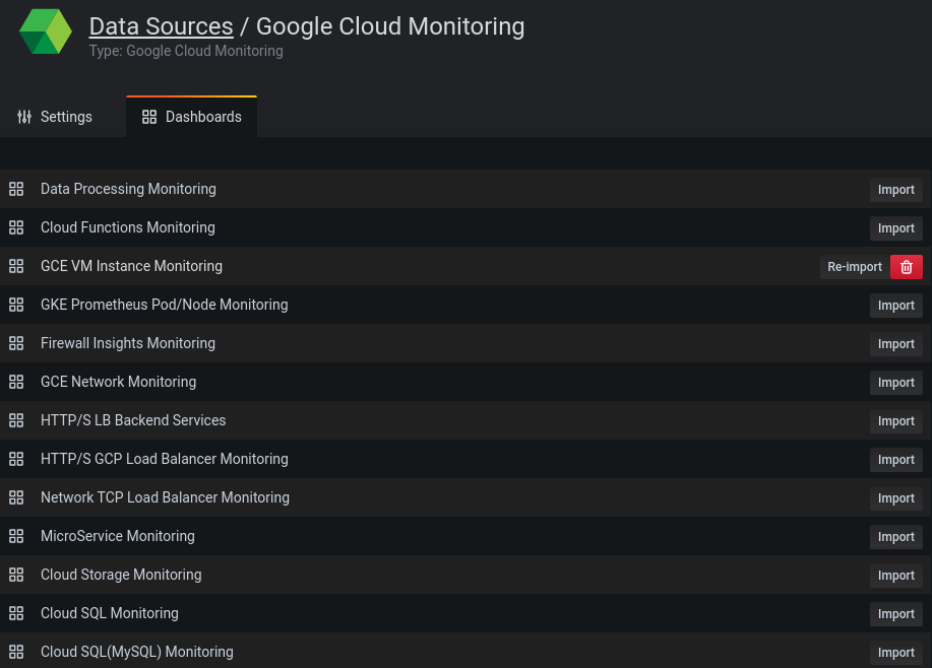
To import the curated dashboards:
On the configuration page of your Cloud Monitoring data source, click the Dashboards tab.
Click Import for the dashboard you would like to use.
The data source of the newly created dashboard panels will be the one selected above. The dashboards have a template variable that is populated with the projects accessible by the configured service account every time the dashboard is loaded. After the dashboard is loaded, you can select the project you prefer from the drop-down list.
In case you want to customize a dashboard, we recommend that you save it under a different name. Otherwise the dashboard will be overwritten when a new version of the dashboard is released.