
Important: This documentation is about an older version. It's relevant only to the release noted, many of the features and functions have been updated or replaced. Please view the current version.

Add a transformation function to data
The following steps guide you in adding a transformation to data. This documentation does not include steps for each type of transformation. For a complete list of transformations, refer to Transformation functions.
Before you begin
To apply a transformation function to data:
Navigate to the panel where you want to add one or more transformations.
Click the panel title and then click Edit.
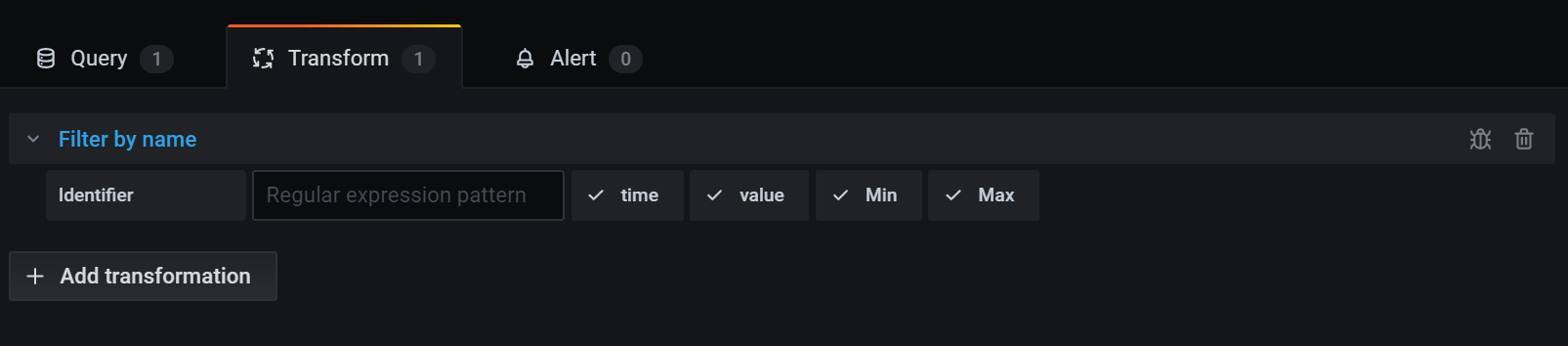
Click the Transform tab.
Click a transformation.
A transformation row appears where you configure the transformation options. For more information about how to configure a transformation, refer to Transformation functions.
For information about available calculations, refer to Calculation types.
To apply another transformation, click Add transformation.
This transformation acts on the result set returned by the previous transformation.
![]()
Was this page helpful?
Related resources from Grafana Labs



